 Treewise
Windows Explorer’s way of working, in a real Mac app.
A folder tree you can open to any depth, an address bar, cut and paste, and two windows side by side. Made for people who learned files on Windows and now work on a Mac.

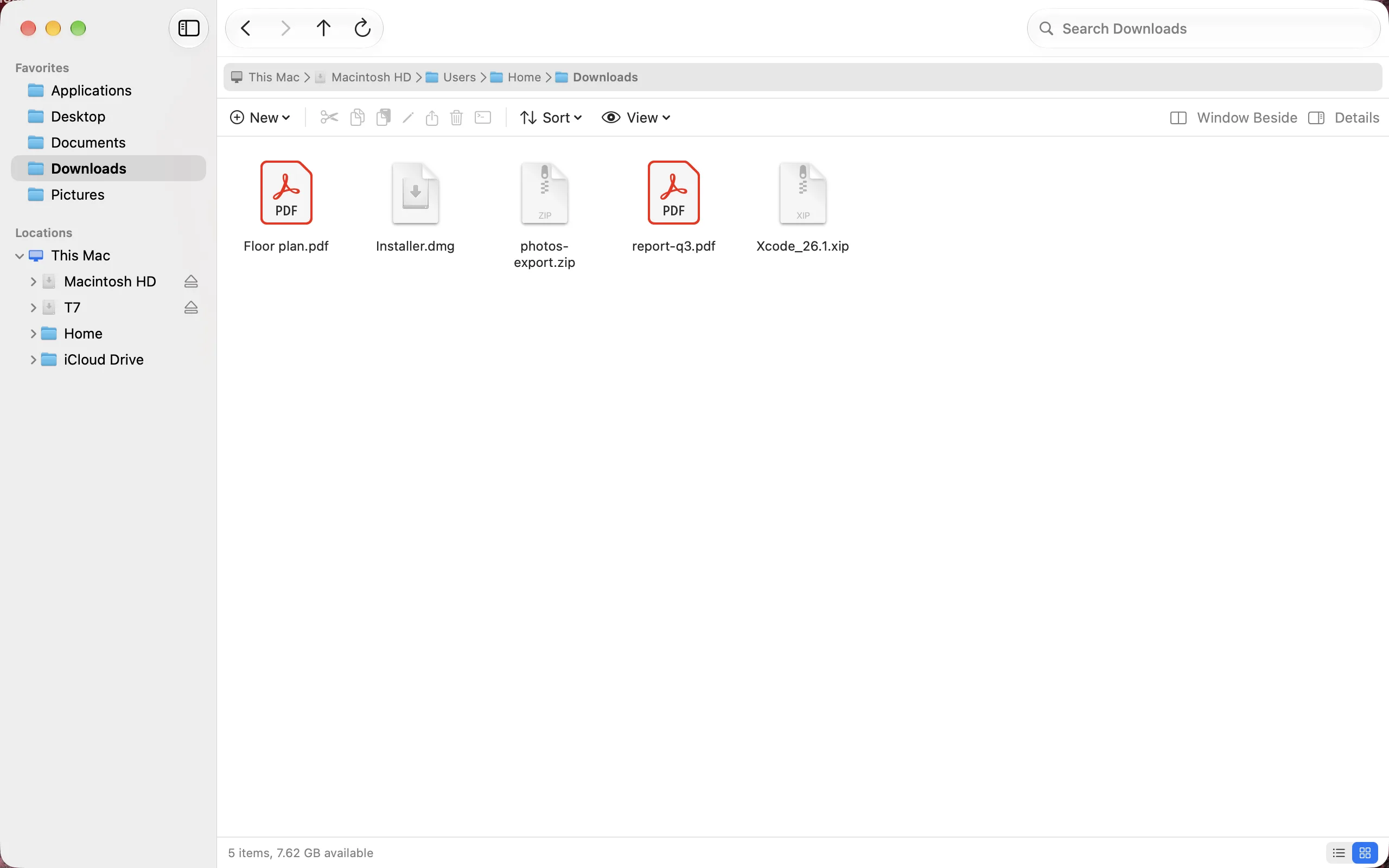
Find your way
- A folder tree with your favorites, your disks, your home folder and your cloud folders, open to any depth.
- An address bar with the path as buttons, a menu of subfolders behind each arrow, and room to type a path with ⌘L.
- A command bar with New, Cut, Copy, Paste, Rename, Share, Move to Trash and Open in Terminal, and Sort and View menus.
- Your own favorites. Add any folder, drag to reorder, and remove one without touching the folder.
- A details pane with a preview and the kind, size, date and folder of what you select, and list or icon view with Quick Look on Space.
Move your files
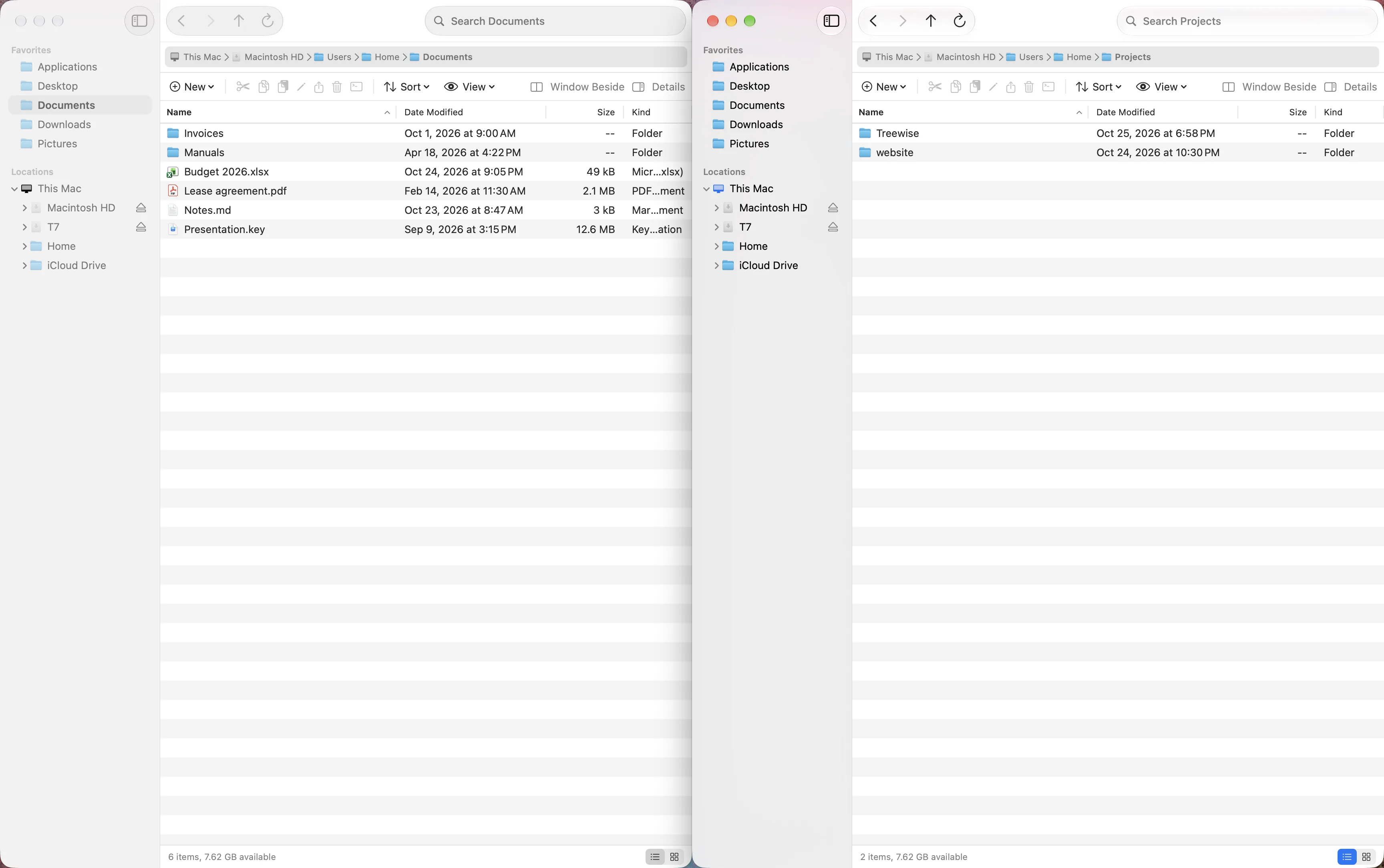
- Cut, copy and paste with ⌘X, ⌘C and ⌘V, also between windows and Finder.
- Two windows side by side with ⌥⌘N: open a folder in the other window, drag between them, or send the selection across.
- Dragging that says what it will do. On the same disk it moves, to another disk it copies; ⌥ always copies, ⌘ always moves.
- Undo with ⌘Z for move, copy, rename, new folder and Move to Trash, in any window.
- Tabs as in Finder, and every window and tab comes back after a restart.
Name your files
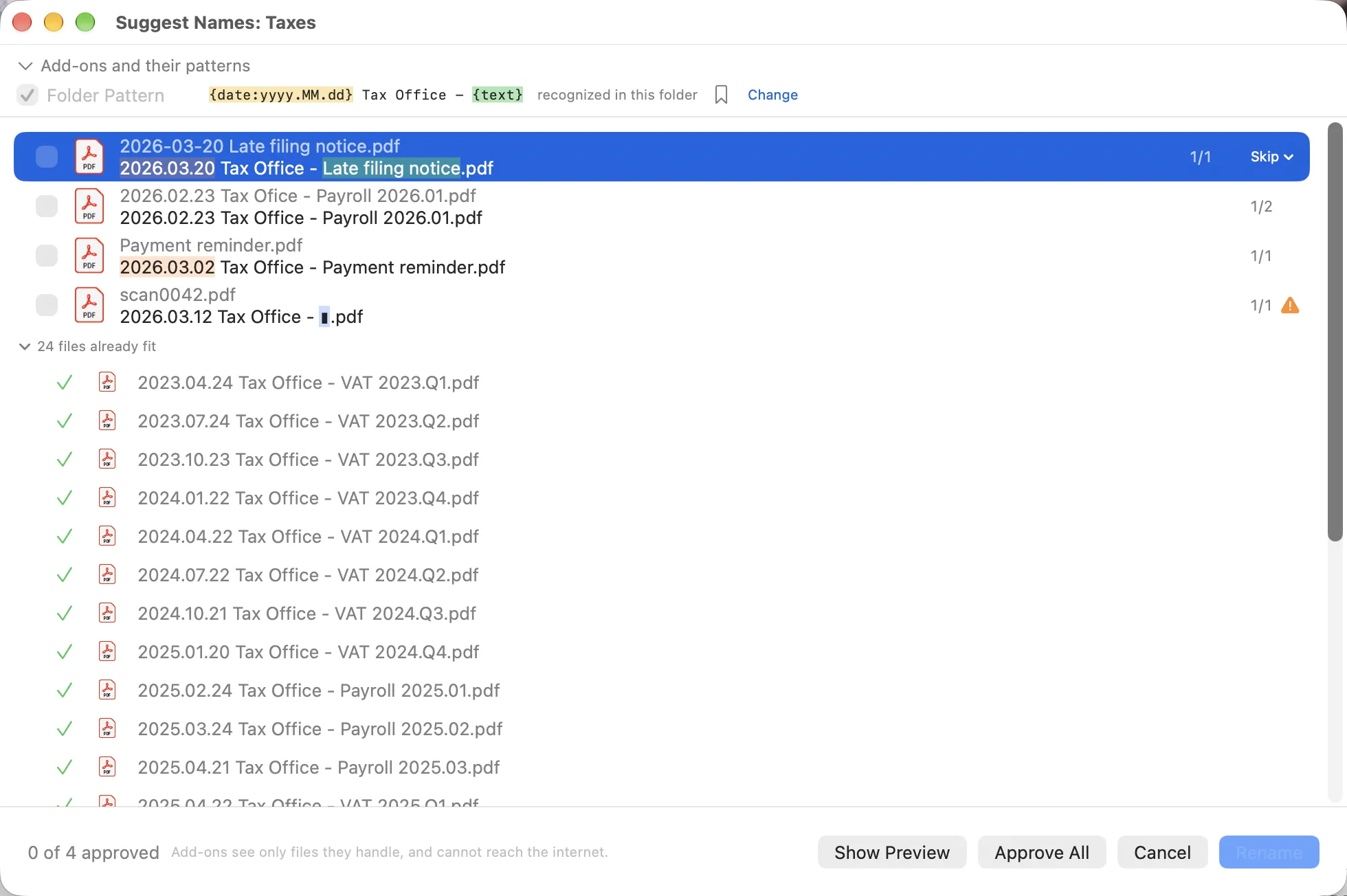
- Suggest Names proposes names for a folder’s files from the pattern its names already follow, such as
2026.03.14 Tax - Payroll 2026.02, or from one you type. You approve each name before anything is renamed. - Patterns know dates in many forms, month names in English, Dutch and German, the folder’s name, a number that runs per year, quarter or month, and choices between parts.
- A name that nearly fits is offered written right, typos in the fixed text included.
- Saved patterns to pick for a new folder. Change one, and each folder that uses it asks whether to take the new version.
- Suggest Names proposes names for a folder’s files from the pattern its names already follow, such as
Set up folders
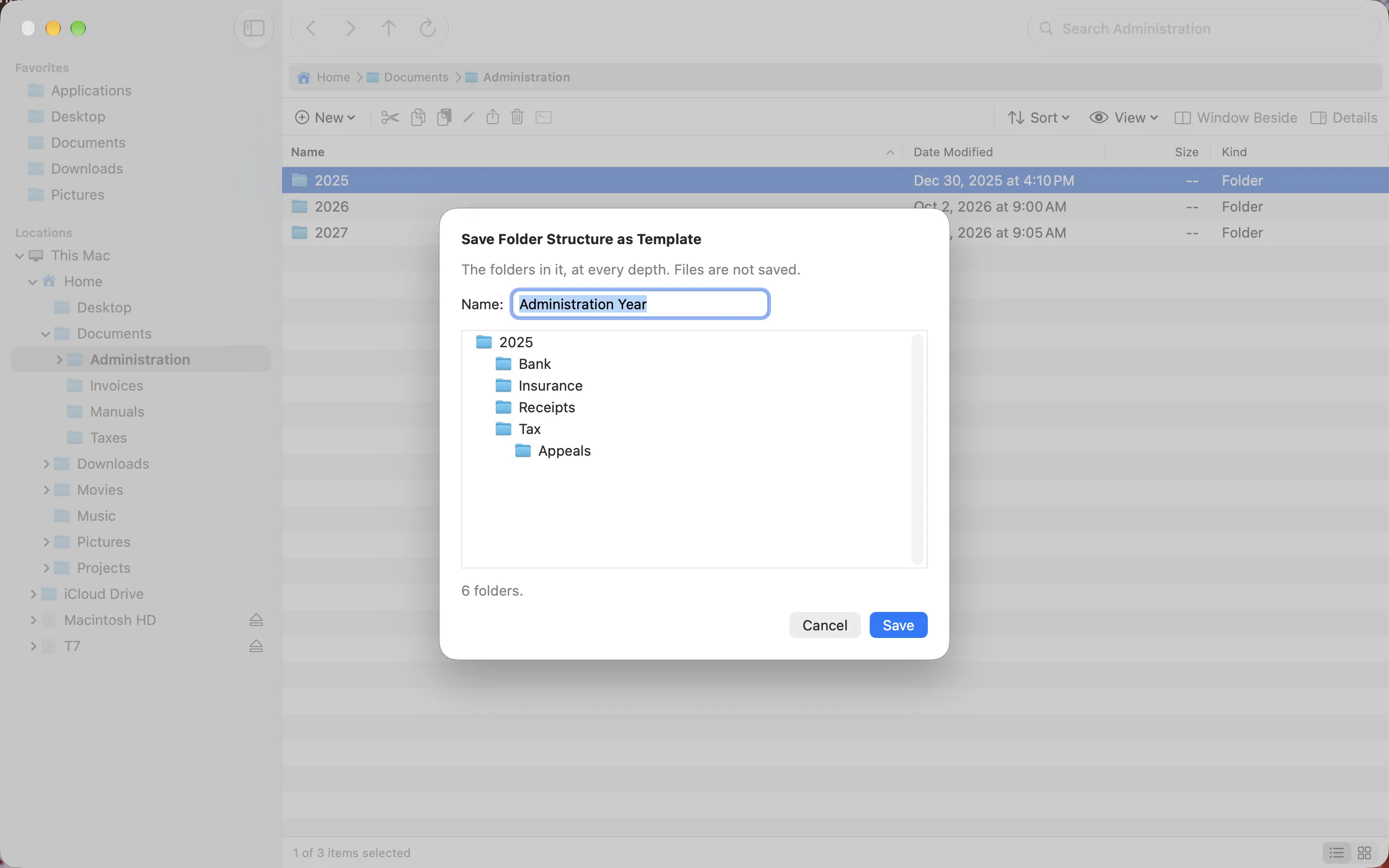
- Folder templates: save a folder's structure, its folders without their files, and make it again anywhere with New Folders from Template.
- See it first. The sheet shows every folder before it is made; folders already there are kept and filled, and one Undo takes them all away again.
- Names that fill themselves in: the year, a number that counts on, today's date or a text you type, and a folder for each month, quarter or half.
- Copy Folder Structure on one folder and Paste Folder Structure on another, without saving a template.
Work with the cloud and the command line
- Cloud folders such as Dropbox, OneDrive and iCloud Drive appear by themselves.
- A cloud icon marks a file that is only online, and a ring shows its download. Browsing a folder downloads nothing.
- Open in Terminal with ⌃⌘T, in Terminal, iTerm, Ghostty, Warp, kitty or Alacritty.
Install
Download the disk image, open it and drag Treewise onto Applications. It is signed and notarized by Apple, so it opens without a warning.
Or use Homebrew:
brew install --cask mag243/tap/treewiseUpdates and privacy
Treewise checks for a new version once a day and asks before it installs one. You can turn this off in Settings.
Every update is signed twice, by Apple’s Developer ID and by Treewise’s own update key, and installs only when both check out.
Name suggestions come from add-ons, which run in a separate service without internet access and see only the files they handle, by name and only what they need from them.
Requirements and removing it
Treewise needs macOS 15 Sequoia or later, on Apple silicon or Intel. It speaks English, Dutch and German, following your system language.
To remove it, drag it from Applications to the Trash. With Homebrew,
brew uninstall --zap --cask treewisealso removes its settings.Feedback
Found a bug, or missing something from Explorer? Open an issue.


Treewise always deletes through the Trash, but keep a backup of anything you cannot lose.